
Reputation
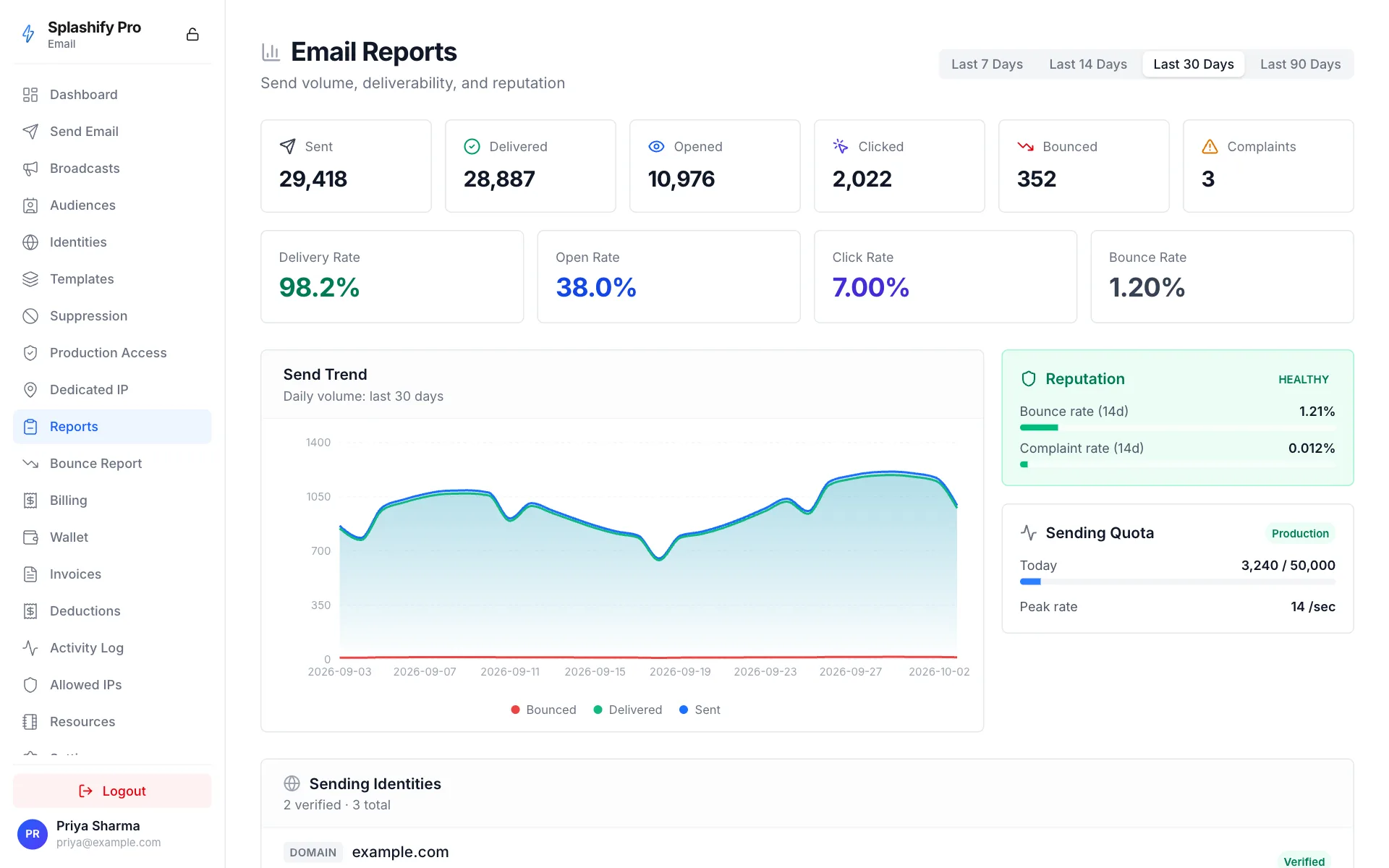
Mailbox providers (Gmail, Outlook, Yahoo, Apple Mail) decide whether to deliver your mail to inbox, junk, or refuse it entirely based on sender reputation — a continuously-updated score derived from your bounce rate, complaint rate, content patterns, and recipient engagement.
We track two of the load-bearing signals:
- Bounce rate —
bounced / sentover the rolling 14-day window - Complaint rate —
complained / sentover the rolling 14-day window
Both are computed from the per-day counter table behind
GET /partner/email/stats.
Status thresholds
bounce > 10%  OR complaint > 0.5%  →  PAUSED      (auto-pause)
bounce > 5%   OR complaint > 0.1%  →  AT_RISK     (warning)
else                                →  HEALTHY
These match AWS SES and the broader industry-standard "watch-list" thresholds.
What happens at each threshold
HEALTHY
Default state. No special handling.
AT_RISK
- Email notification to the account contact
- Banner on the Splashify Pro Email dashboard
- Recommendation to investigate recent campaigns + clean lists
- No automatic action against your sending — but you should fix the underlying issue immediately
PAUSED
- All
/sendcalls return403 SENDING_PAUSED - The reputation status reflects on
GET /partner/email/quotas - Your panel dashboard shows the alert + reason
- An admin reviews + decides whether to:
- Drop you back to sandbox (so you can test fixes)
- Re-enable with a stern warning
- Keep paused pending list-cleaning evidence
To resume sending after PAUSED:
- Identify the breach source (which campaigns / list segments caused it)
- Clean the list — remove every address that bounced / complained
- Reach out to support with your remediation plan
- Our team reviews it and lifts the pause on your account
What we don't track (yet)
- Engagement signals (open rate, reply rate, forward rate) — on roadmap for shared-IP reputation; today these only matter for dedicated-IP customers.
- Spam-filter scores (SpamAssassin etc.) — you control content; our infrastructure handles authentication.
- Domain age / DMARC alignment — hardened automatically through the verification flow.
Per-config-set vs account-wide
By default reputation is computed at the account level. Sends across all config sets contribute to the same rolling window.
If you want to isolate a high-risk experiment from your main
reputation, set reputation_tracking_enabled: false on that
config set. Bounces + complaints from those sends are still
recorded in your event log + suppression list, but excluded from
the rolling reputation calculation.
Use sparingly — false is an opt-out from a healthy default.
Inspecting your reputation
curl https://api.splashifypro.com/api/v1/partner/email/reputation \
  -H "Authorization: Bearer $SPLASHIFY_API_KEY"
Response:
{
  "success": true,
  "window_days": 14,
  "sent": 12500,
  "bounced": 218,
  "complained": 4,
  "bounce_rate": 0.01744,
  "complaint_rate": 0.00032,
  "status": "HEALTHY"
}
/quotas returns the same status alongside daily-quota info — use
that endpoint as the single read-once-per-page source on your
dashboard.
How to keep reputation healthy
- Send to opt-in lists only. Buying lists or scraping email addresses is the #1 cause of complaint-rate breaches.
- Honor unsubscribes within 10 days. It's a CAN-SPAM / CASL / DPDP requirement AND it's how you avoid complaint spikes.
- Verify before sending. Hitting hundreds of stale addresses once spikes your bounce rate hard.
- Warm up new identities slowly. Mailbox providers throttle first-contact volume — start with low volume to high-engagement recipients, ramp over a week or two.
- Watch your DMARC reports. Misaligned mail (sent through us but with wrong From-domain) gets quarantined or rejected — that shows up as bounces in our stats.