
Pricing
We keep it simple: one rate for everyone, sandbox free, prepaid wallet, no monthly minimums.
Headline
That's it. No marketing-vs-transactional split. No volume tiers that kick in at obscure thresholds. Same price for HTML, plaintext, template, raw MIME, send-bulk, all of it.
Currency + GST
Pricing is in INR. Indian customers are billed with 18% GST on top. Non-India customers are billed in USD the same way, with no GST applied.
Wallet model
The Splashify Pro Email API runs on a prepaid wallet:
- Recharge your wallet in Splashify Pro Email
(
email.splashifypro.com→ Wallet → Recharge) - Each successful send deducts ₹0.03 (or your override rate) from the wallet balance
- When balance hits zero,
/sendreturns402 INSUFFICIENT_BALANCEuntil you recharge
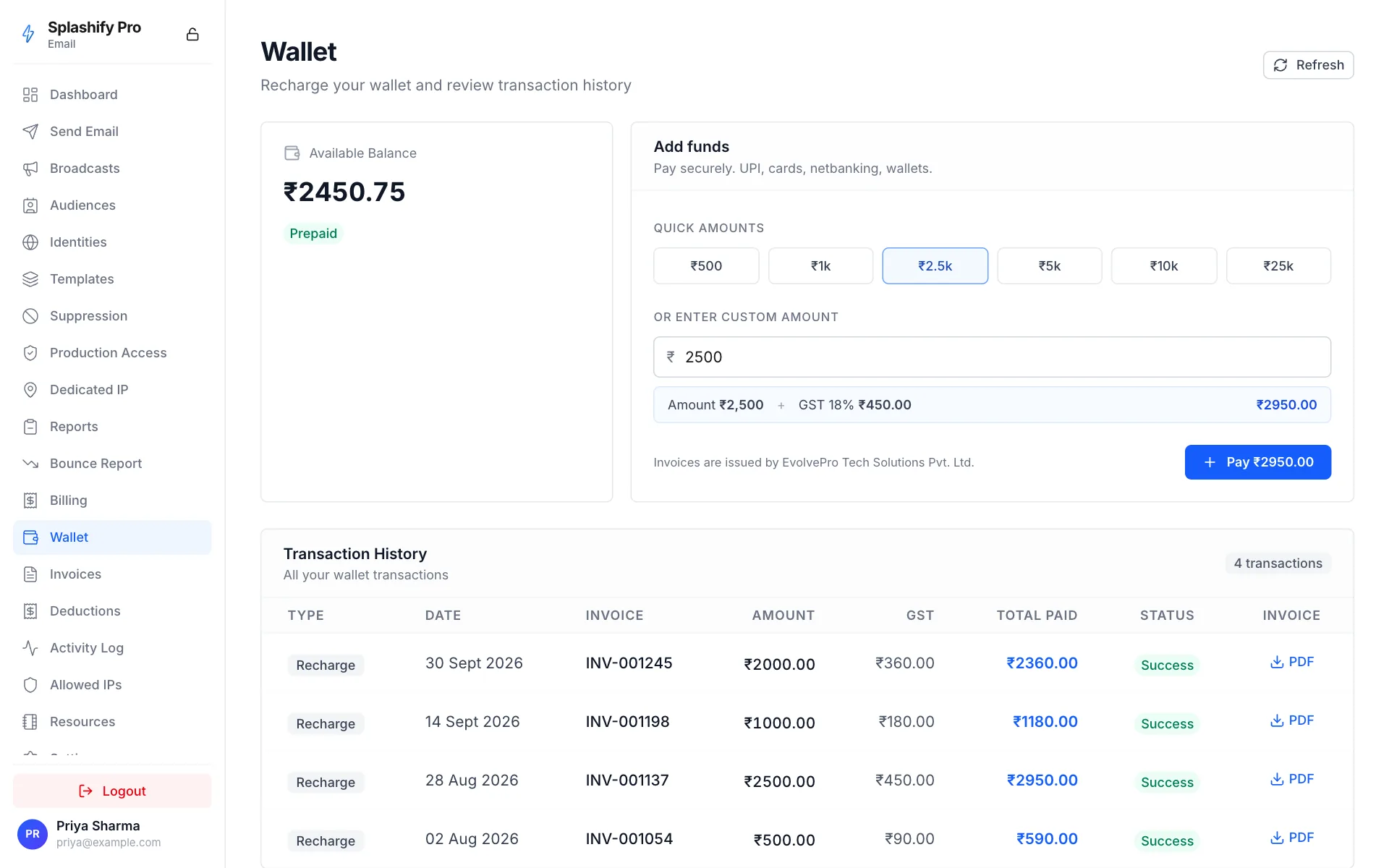
Pay by UPI, card, netbanking or wallet. You get a GST invoice for every recharge, emailed automatically and downloadable from the panel.
What counts as a billable send
A send is billable when:
- The API call validates successfully
- The recipient is NOT on your suppression list
- We attempt SMTP delivery (250 OK or any 4xx/5xx response)
NOT billable:
- API rejections (
400 INVALID_REQUEST,400 FROM_NOT_VERIFIED) - Suppression-list rejections (
status: rejectedin send response) - Sandbox sends within the daily 200 free quota
- Rate-limit rejections (
429)
Volume discounts
Default is one rate. For customers committing to high steady-state volume, custom rates are negotiable. Reach out via the support form on the panel.
Our team can set custom marketing and transactional rates on your account. Once set, those rates take precedence over the default ₹0.03.
Tracking spend
Every send writes a row to your wallet billing log, which you can see at:
email.splashifypro.com → Wallet → Transaction historyEach row shows the recipient, message_id, rate at send-time, and balance before/after. Same data is exposed via API:
curl 'https://api.splashifypro.com/api/v1/wallet/transactions/$PARTNER_ID' \
  -H "Authorization: Bearer $SPLASHIFY_API_KEY"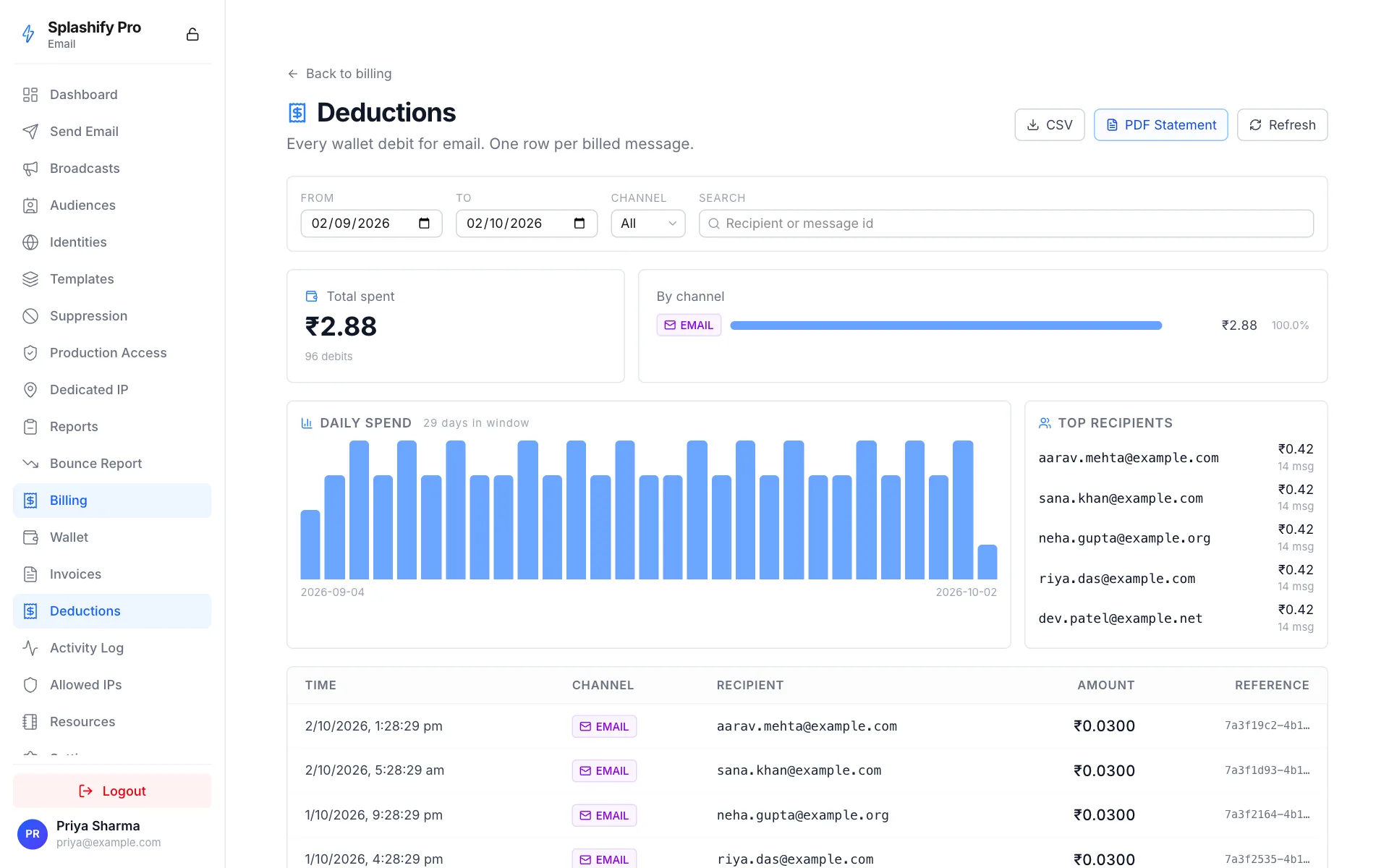
Recharge minimums
Minimum recharge is ₹500. Wallet balance can drop below ₹500 between recharges. We don't gate sends on balance until it hits exactly zero.
Dedicated IP
For customers sending high steady-state volume (typically 10K+/day), a dedicated sending IP isolates your reputation from the shared pool. Request one in Splashify Pro Email under Dedicated IP.
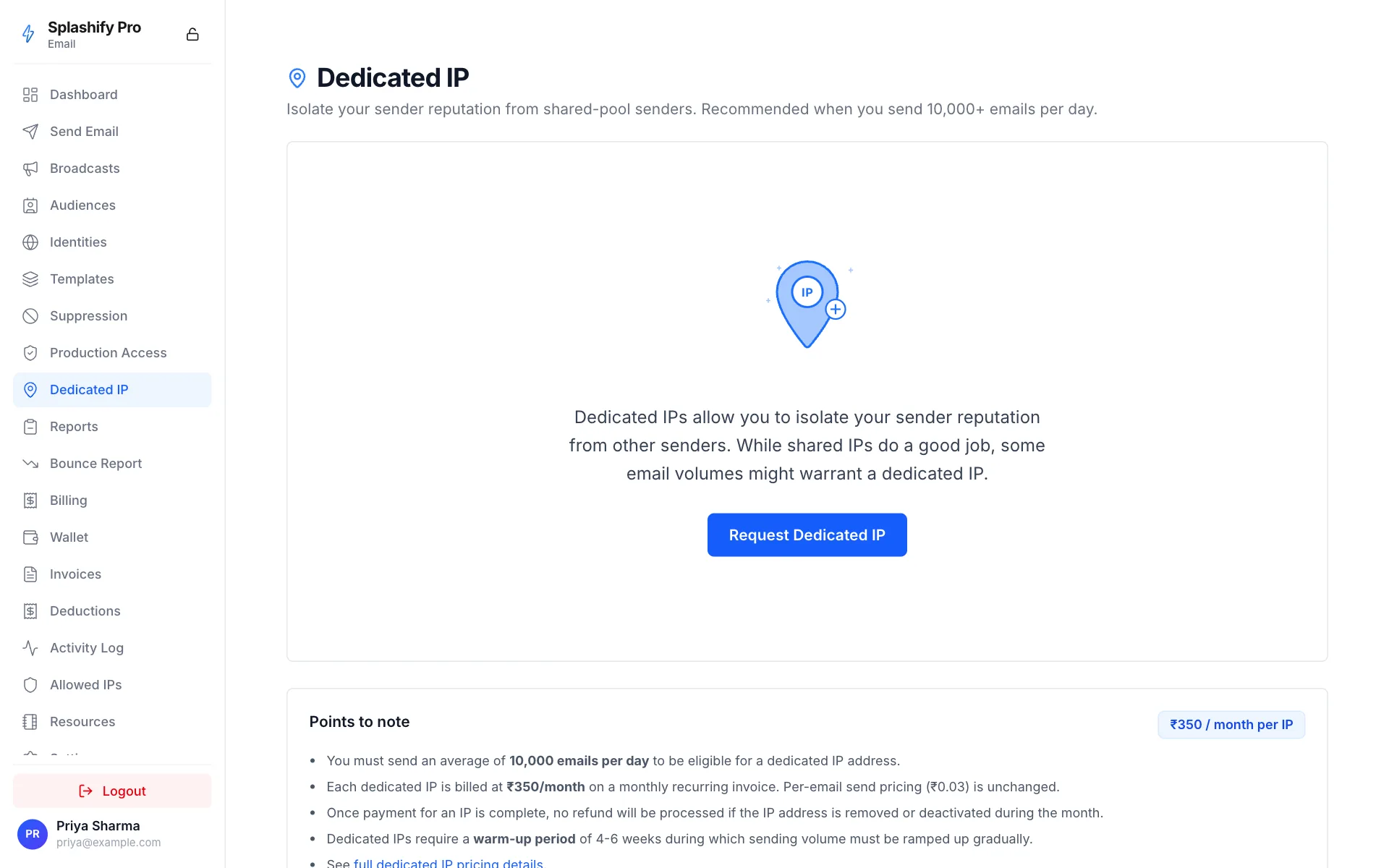
Charged on a monthly recurring invoice from the date the IP is assigned. Per-email send pricing (₹0.03) does not change: a dedicated IP is only an add-on. Cancel anytime; billing stops at the end of the current billing month and the IP is returned to the shared pool.
Postpaid (legacy)
If you're an older customer on a postpaid wallet (wallet=Post Paid),
sends accrue against your outstanding balance up to your
credit_limit. Settled monthly with an invoice. Newer
accounts ship as prepaid by default. Postpaid is grandfathered for
existing customers.
What we don't charge for
- Verifying identities
- Creating configuration sets / templates / event destinations
- Webhook deliveries to your endpoint
- Suppression list management
- Reading stats / quotas / events
- API rate limit when you stay under the per-second peak
The wallet only deducts on actual sends.
Invoices + GST documents
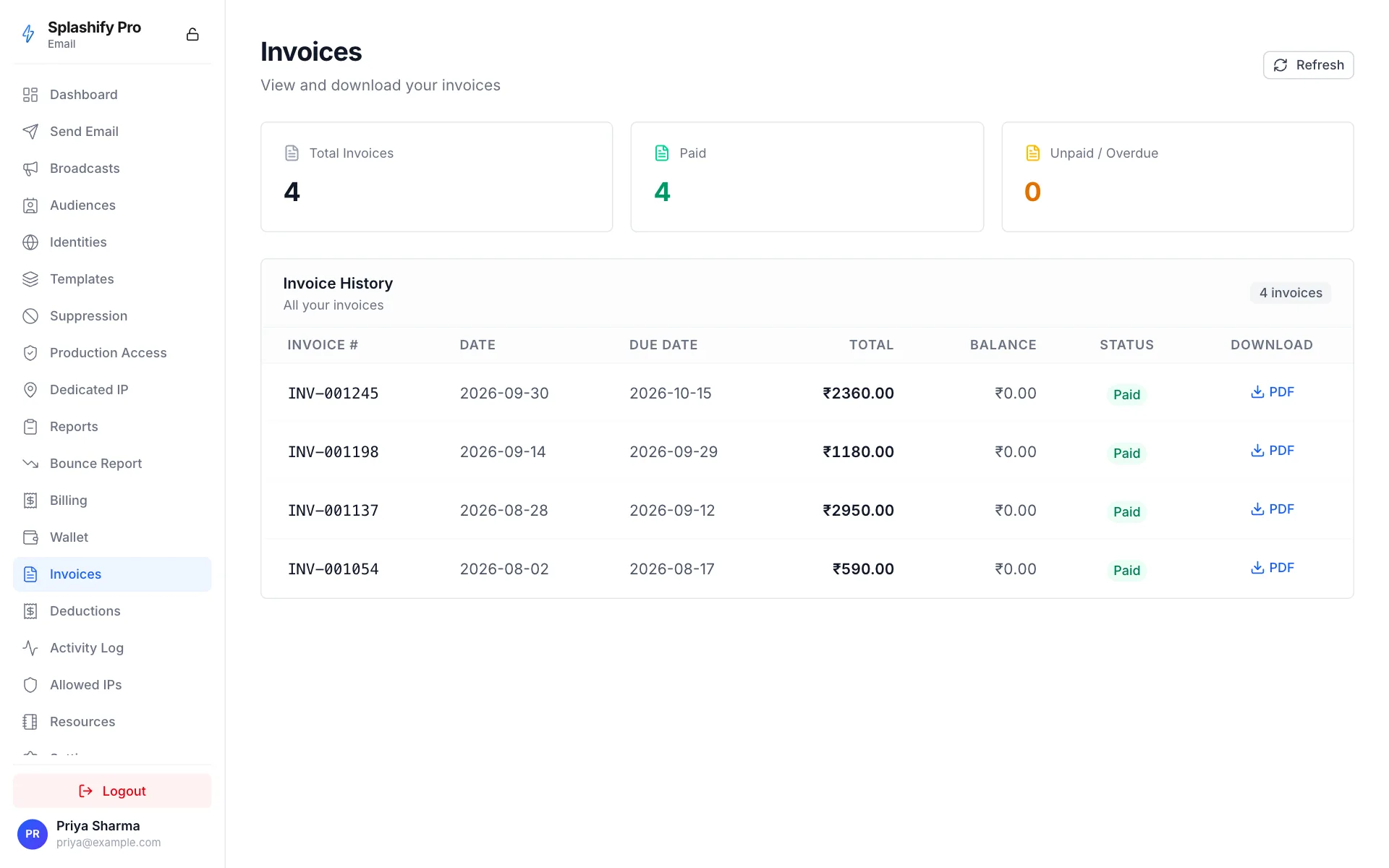
Every recharge generates:
- A GST invoice (PDF, downloadable from Splashify Pro Email)
- An automatic email to your account email
- The payment marked as paid once the wallet credit lands
For India-based customers with a GSTIN, the invoice carries your GSTIN + state code, usable for input-tax-credit reconciliation.
Refunds
- Wallet balance is non-refundable as cash. Once recharged, the balance is yours to spend on email sends.
- Failed sends (4xx/5xx) are not billed in the first place.
- Mistaken duplicate recharges: contact support and we'll refund or credit the duplicate.
- Account closure: unused balance can be donated to a future account with the same email or refunded under exceptional circumstances. Contact support.
Comparison
We come in cheaper than Postmark and SendGrid, with extra benefits (panel, support, simpler onboarding) layered on top.