
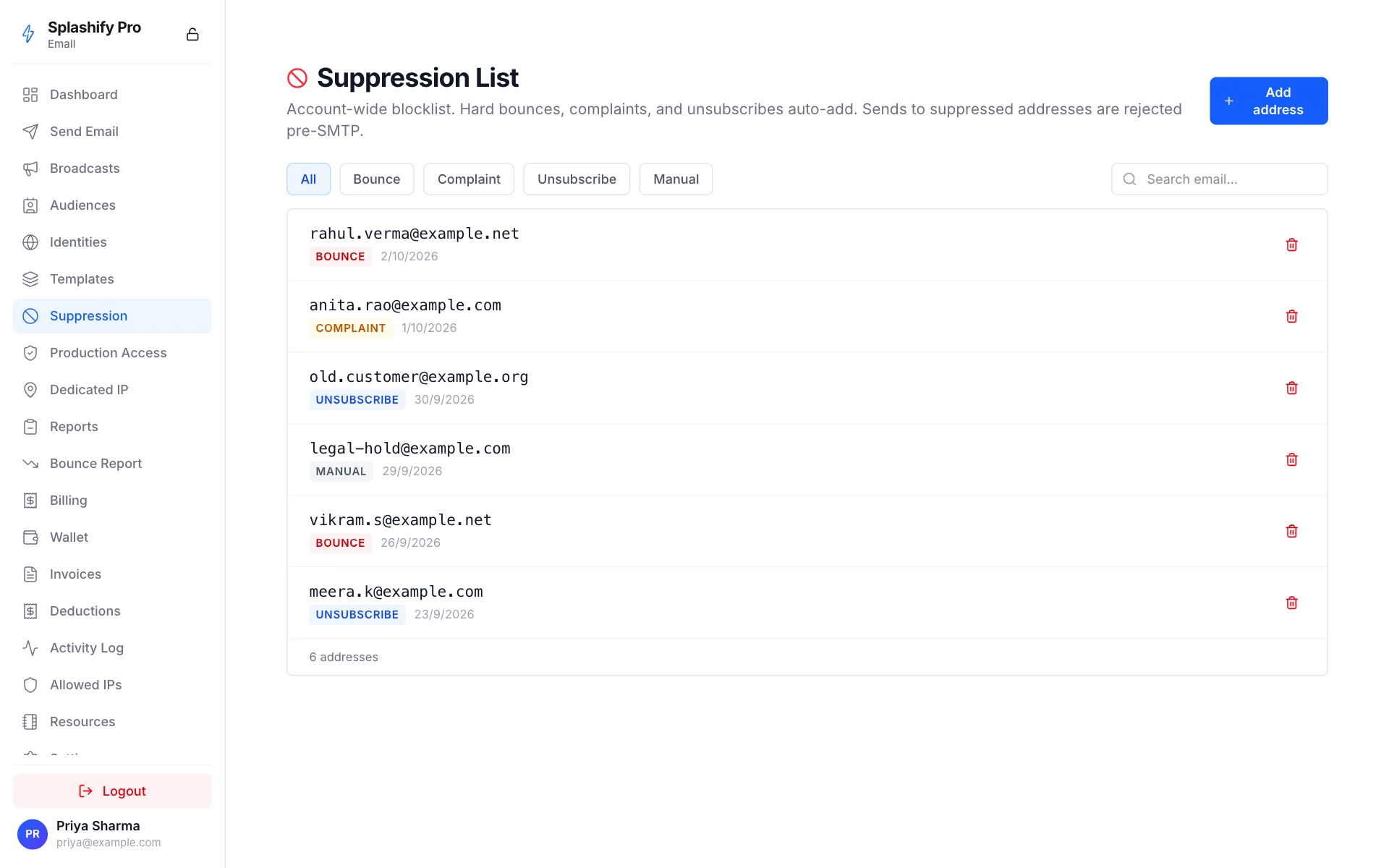
Suppression List
The suppression list is your account's blocklist of recipient addresses we won't send to. It exists to protect:
- Your reputation — repeated bounces / complaints tank your bounce + complaint rate, which mailbox providers use as a primary signal.
- The recipient — opting out, manually unsubscribing, or marking as spam should mean they never hear from you again.
- The platform — collectively low bounce/complaint rates keep the platform's deliverability healthy across all senders.
What gets auto-added
Soft bounces (mailbox full, server temporarily unavailable, etc.) do NOT auto-suppress — we retry up to 3 times, then mark the row failed without suppressing.
What we DON'T auto-add
- Single soft bounces (we retry first)
- API rejections (e.g. invalid recipient format) — those don't reach SMTP
- Greylist 4xx responses (we retry per-domain backoff)
Behaviour at send time
When you call /send, every recipient is checked against the
suppression list before any SMTP attempt. Recipients on the
list:
- Get
status: rejectedin the per-recipient response - Don't burn wallet balance — you're not billed for rejected recipients
- Generate a
Rejectwebhook event withreason: "suppressed"
This matters at scale — sending a bulk to a list with 5% suppressed addresses saves you 5% of the wallet hit + keeps your bounce rate clean.
Listing the suppression list
curl 'https://api.splashifypro.com/api/v1/partner/email/suppression?reason=BOUNCE&limit=100' \
  -H "Authorization: Bearer $SPLASHIFY_API_KEY"
Filters: reason (BOUNCE / COMPLAINT / UNSUBSCRIBE / MANUAL),
search (substring), limit (1-1000).
Adding manually
curl -X PUT https://api.splashifypro.com/api/v1/partner/email/suppression/[email protected] \
  -H "Authorization: Bearer $SPLASHIFY_API_KEY" \
  -H "Content-Type: application/json" \
  -d '{"reason": "MANUAL", "details": "GDPR erasure request 2026-05-03"}'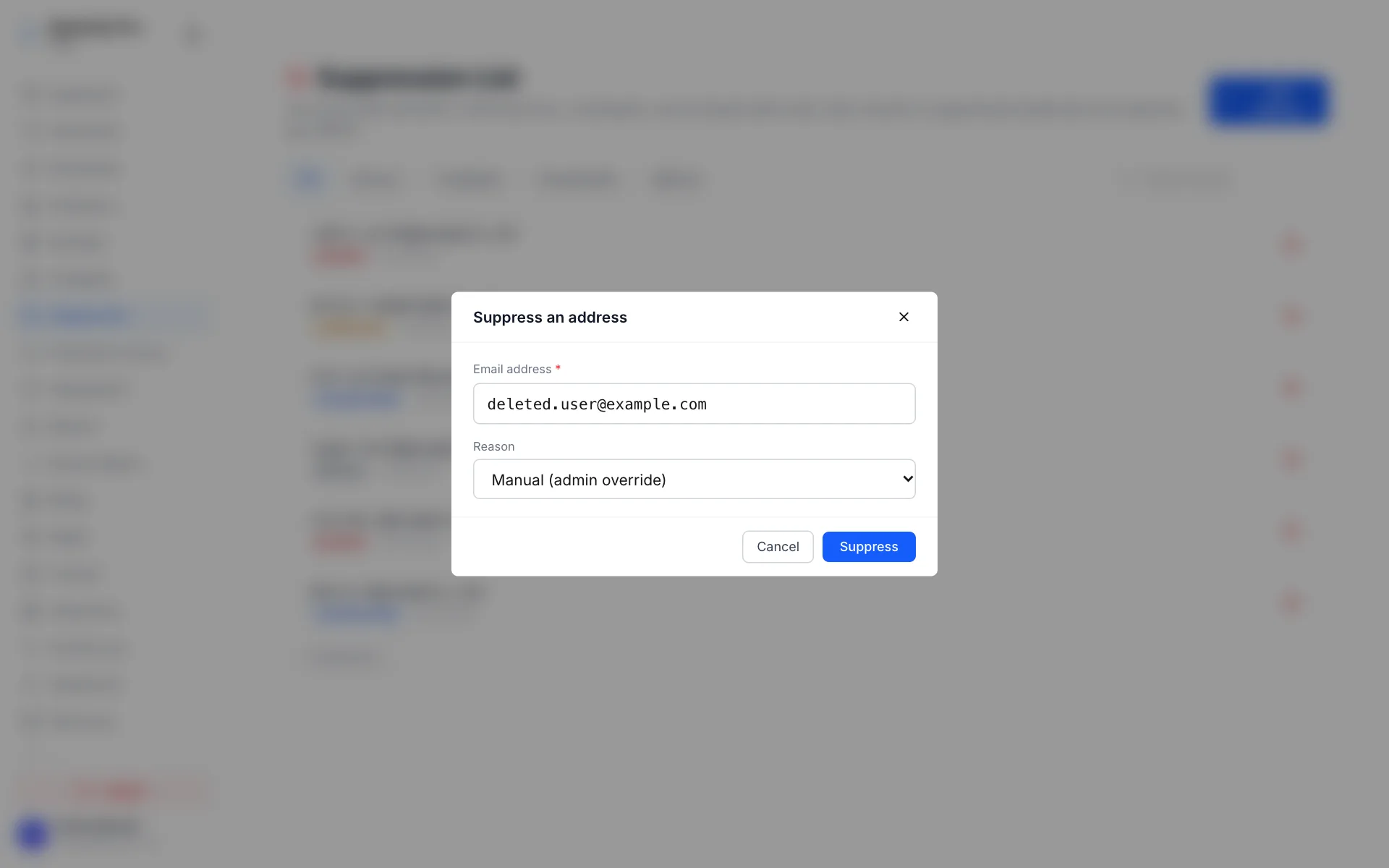
Use cases:
- GDPR / DPDP erasure requests
- Customer-side opt-outs that didn't come through your unsubscribe flow
- Known-bad addresses you want to skip preemptively
Removing
curl -X DELETE https://api.splashifypro.com/api/v1/partner/email/suppression/[email protected] \
  -H "Authorization: Bearer $SPLASHIFY_API_KEY"
Removal lets you re-send to that address. Be conservative — if the address bounced hard or complained, removing it and re-sending is likely to get you suppressed again + drag your reputation down.
Per-config-set suppression scope
By default, suppressions are account-wide. Each config set can
override which categories auto-suppress via the suppression_options
field:
The check at send time still hits the account-wide list — config- set settings only affect what's auto-WRITTEN to the list.
Best practices
- Don't programmatically remove suppressions in bulk. Each removed entry that re-bounces hurts you twice.
- Sync to your application's user table. Listen to
BounceComplaintwebhooks, mark those usersemail_unsubscribed: truein your DB, and skip them in your own outbound logic. Defense in depth.
- Honor unsubscribe requests instantly. If a customer clicks unsubscribe in your app's preferences page, push their email to our suppression list via PUT — don't wait for the next campaign to filter them.
- Audit periodically. Run
GET /suppression?reason=BOUNCEonce a month and cross-reference against your active customer list — bounced addresses on your billing roster mean broken support delivery + missed renewal emails.